Keep the best bars.
Mark a passage, audition it, then export separate MIDI loop stems or a merged loop with 1–999 repeats.

New release · Available now on the Mac App Store
Find the groove. Make it yours.
That MIDI file has more to give. Turn a favorite phrase into a reusable loop, find a recording’s tempo, and shape each part before it reaches your DAW.

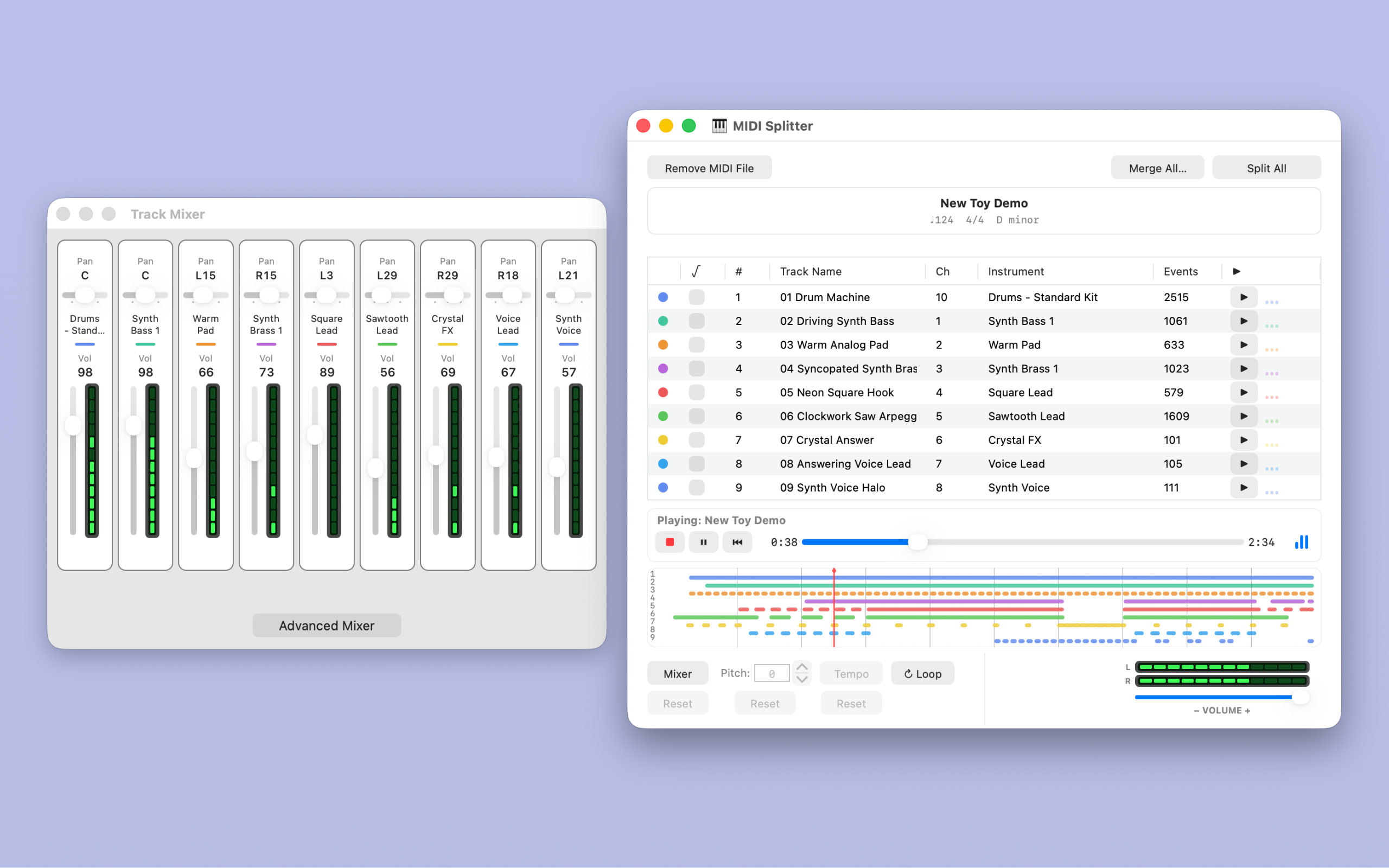
New and expanded in 1.5
All the splitting, merging, and auditioning you know—with more ways to turn a MIDI arrangement into something of your own.
Mark a passage, audition it, then export separate MIDI loop stems or a merged loop with 1–999 repeats.
Drop in a recording, review Beat Detection’s BPM candidates, and apply your chosen tempo to a compatible MIDI song.
Add pan, velocity, and reverb choices to your track-volume mix. MIDI activity meters help you follow the arrangement.
Open supported MIDI 2.0 Clip/SMF2 files and export .midi2 clips, with optional reports explaining the result.
Use the Drum Instrument Picker to turn a rhythmic track into one General MIDI percussion sound.
Separate Pitch, Tempo, and Mixer resets, a searchable offline manual, and 13 new video chapters help you keep moving.
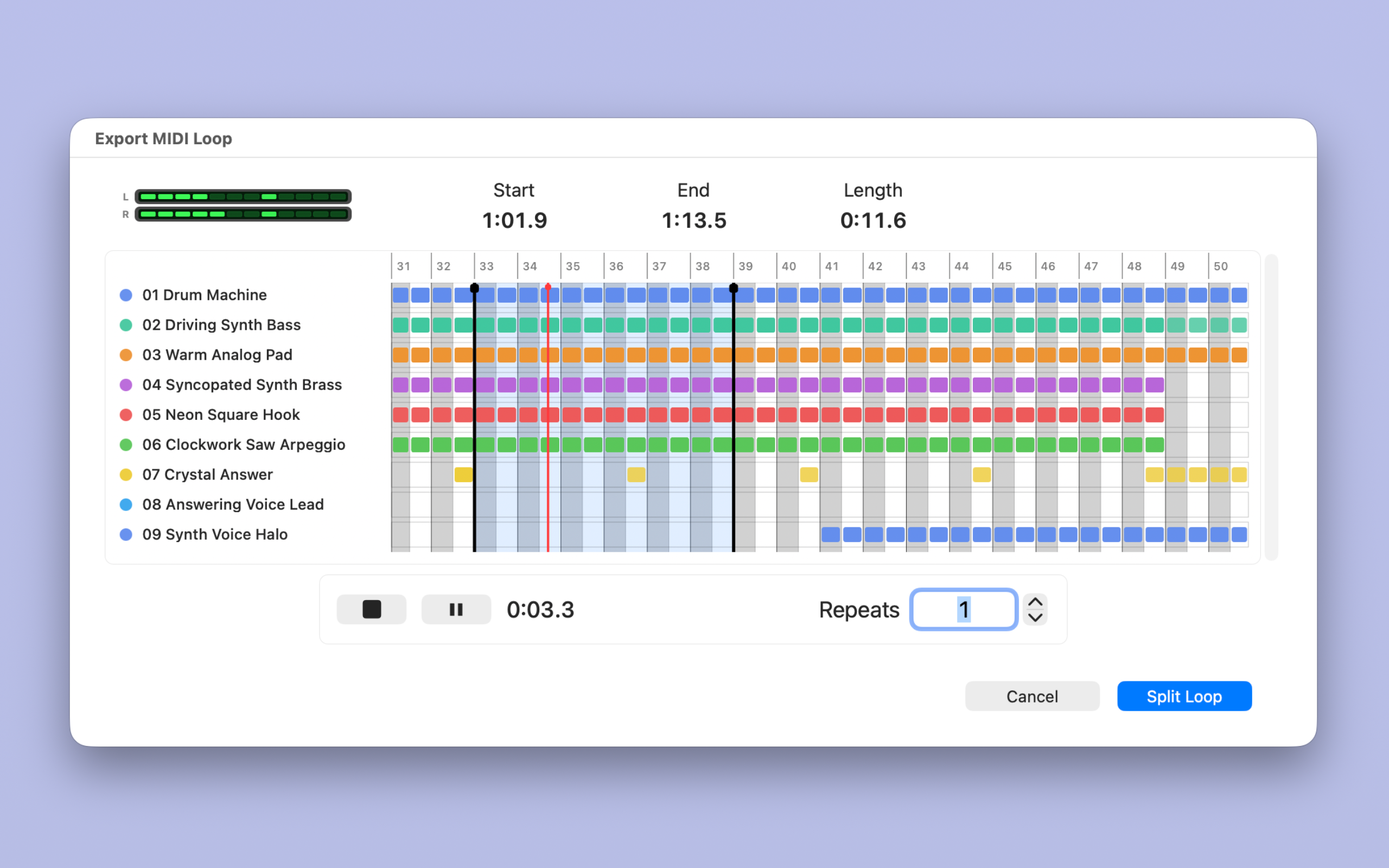
Build a practice passage, pull out a drum pattern, or prepare the building blocks of your next arrangement.
Explore MIDI loop exports →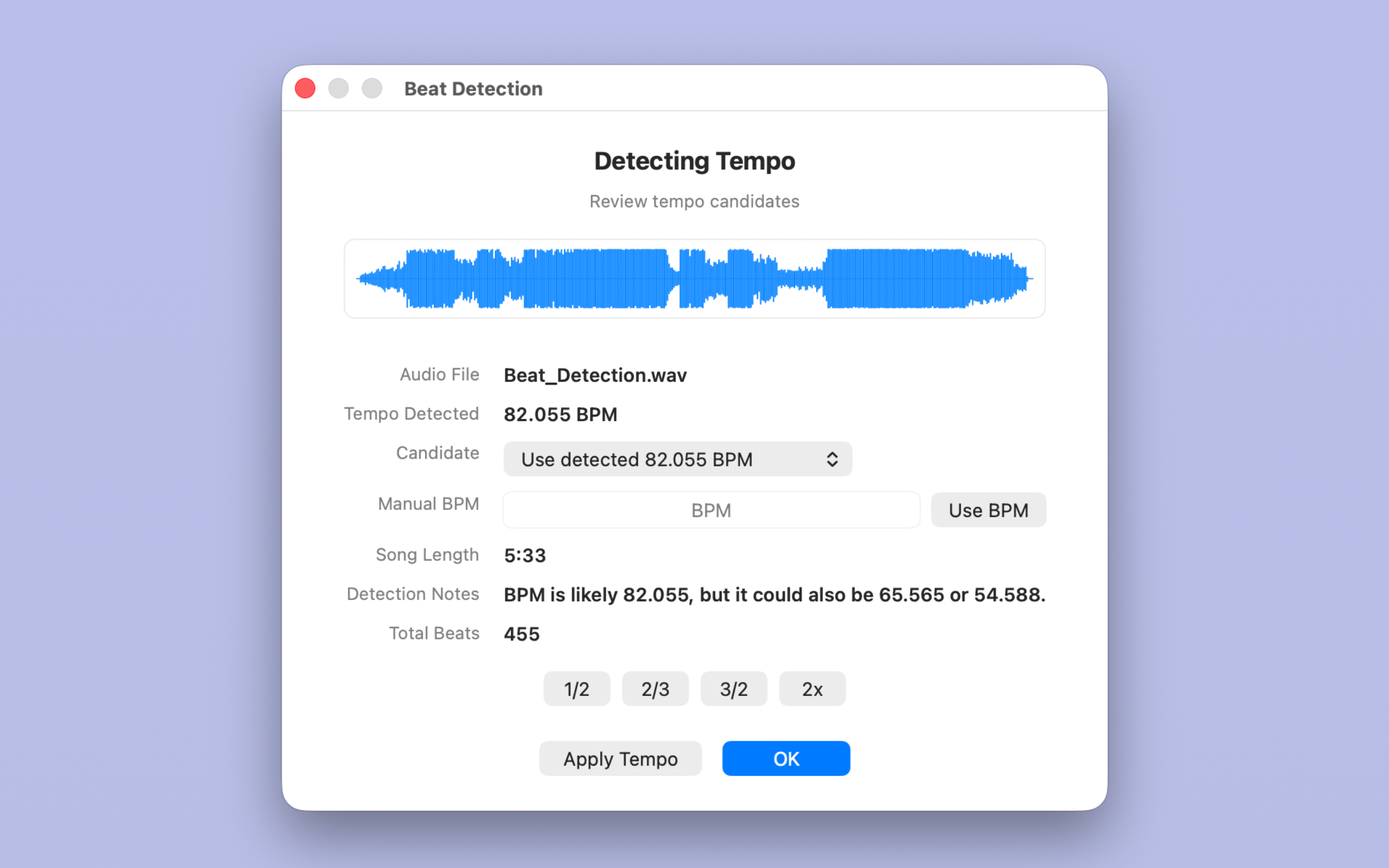
Take the guesswork out of a starting tempo. Compare candidates, try half-time or double-time, and choose the BPM that fits.
Explore audio beat detection →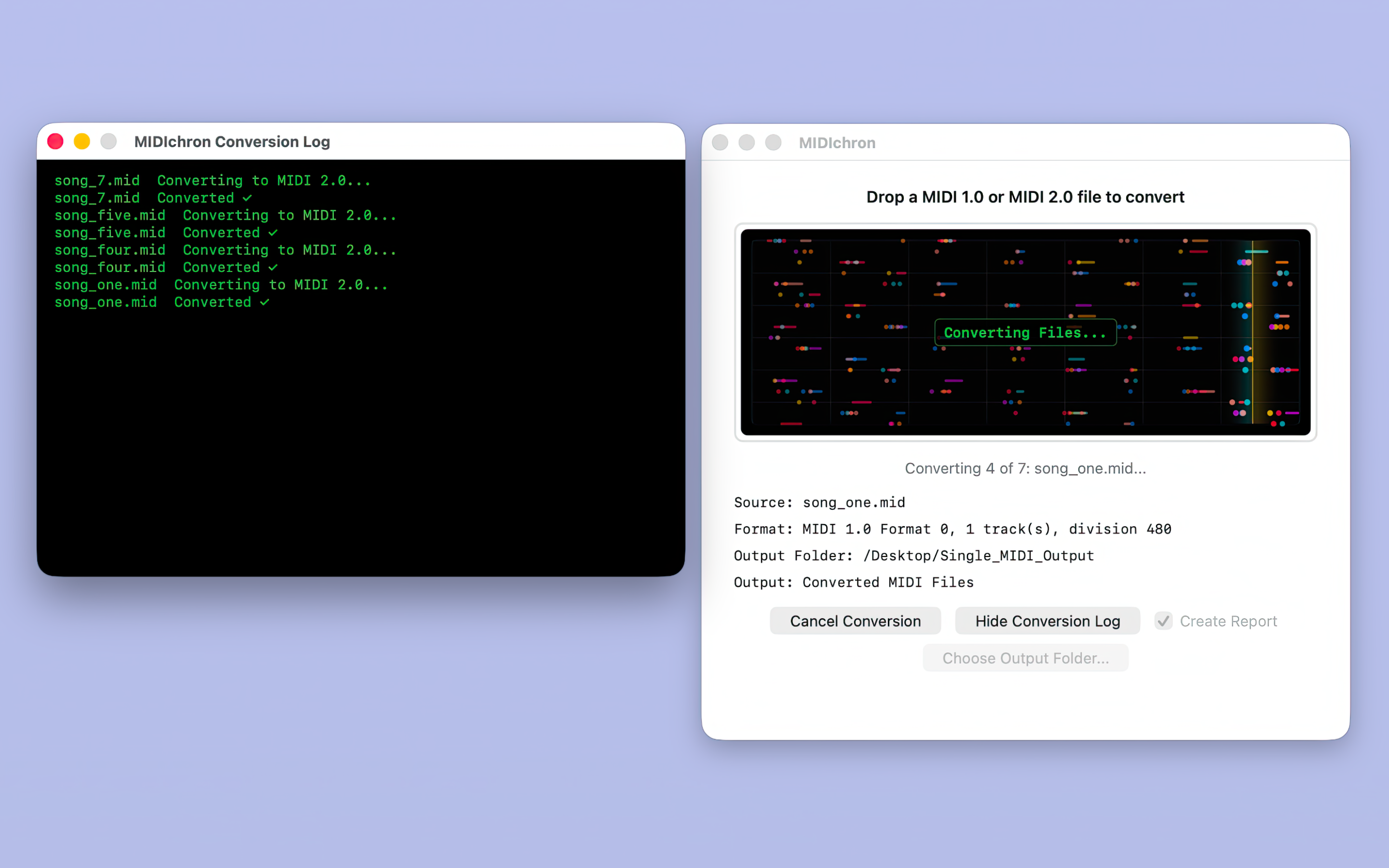
Also from New Toy Software
Convert supported Standard MIDI Files and MIDI 2.0 Clip/SMF2 files, one at a time or in batches. Clear logs and reports help you understand every converted copy.
Freeware for Mac
Quick, friendly MIDI playback, with MIDI 1.0 and supported MIDI 2.0 clip import.
Explore MIDIBox 1.5Keep in touch
Get occasional release and update news for MIDISplitter, MIDIchron, and MIDIBox. Spam is for Monty Python and does not belong in your inbox.