.midi2 / SMF2
Open supported MIDI Clip/SMF2 files and create .midi2 exports. A device's MIDI 2.0 support does not by itself mean its software accepts this file container.

2026 MIDI Innovation Awards
A practical macOS MIDI utility for musicians who need to open, hear, understand, split, merge, and reuse MIDI files quickly.
Open supported MIDI 1.0 and MIDI 2.0 Clip/SMF2 files, audition their parts, change instruments, adjust the mix, and export individual tracks, merged arrangements, or repeated loops.
Awards evaluation update: version 1.5.2, build 5 · September 24, 2026
Updated with improved drum mapping and restoration, MIDI timing and exports, and clearer warnings linked to recovery instructions in the User Manual.
Now on the Mac App Store
Explore the released app, the new video guides, and the current user manual. Reviewers can request an evaluation copy by email and read the build-specific materials below.
The Main Window
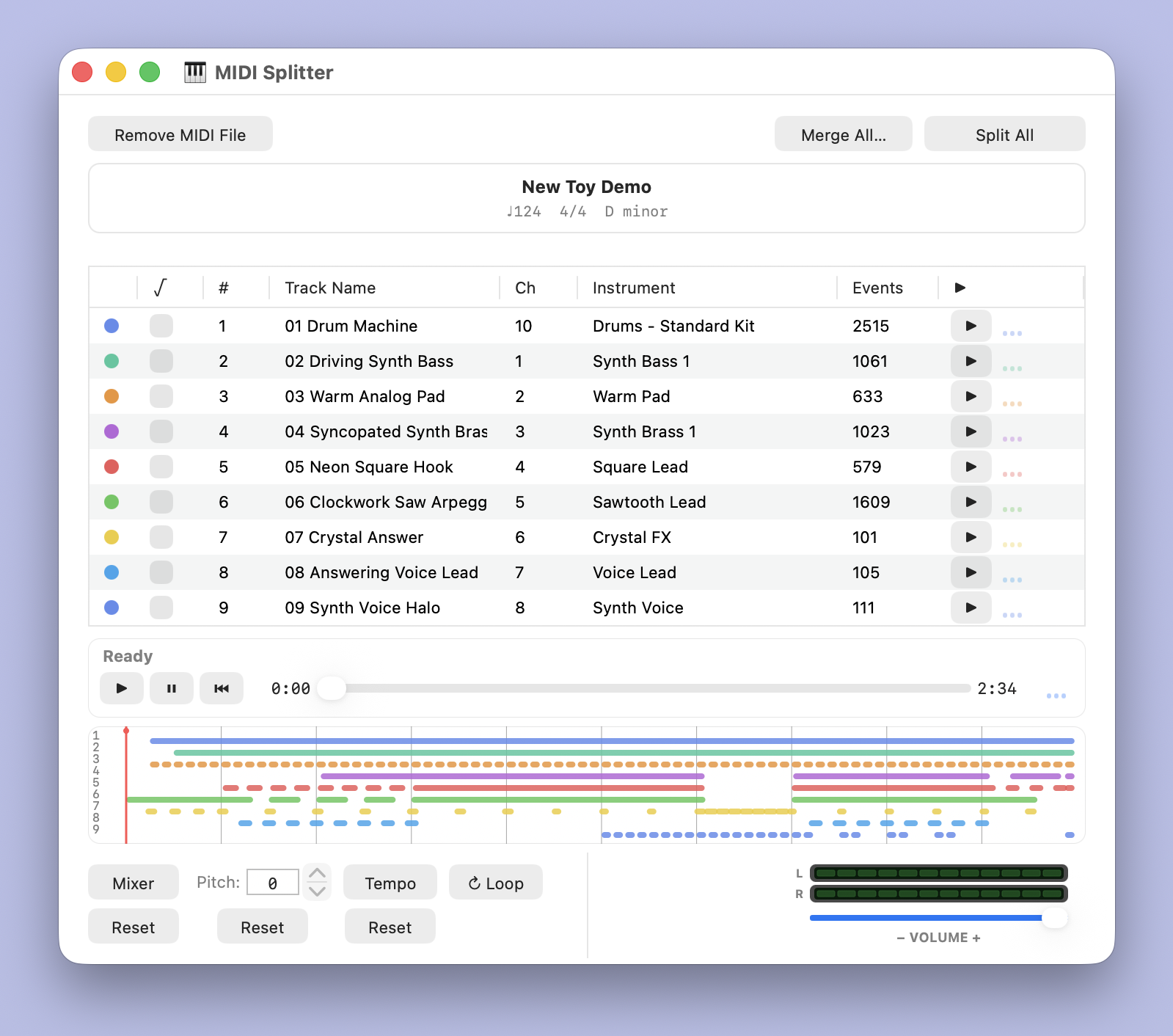
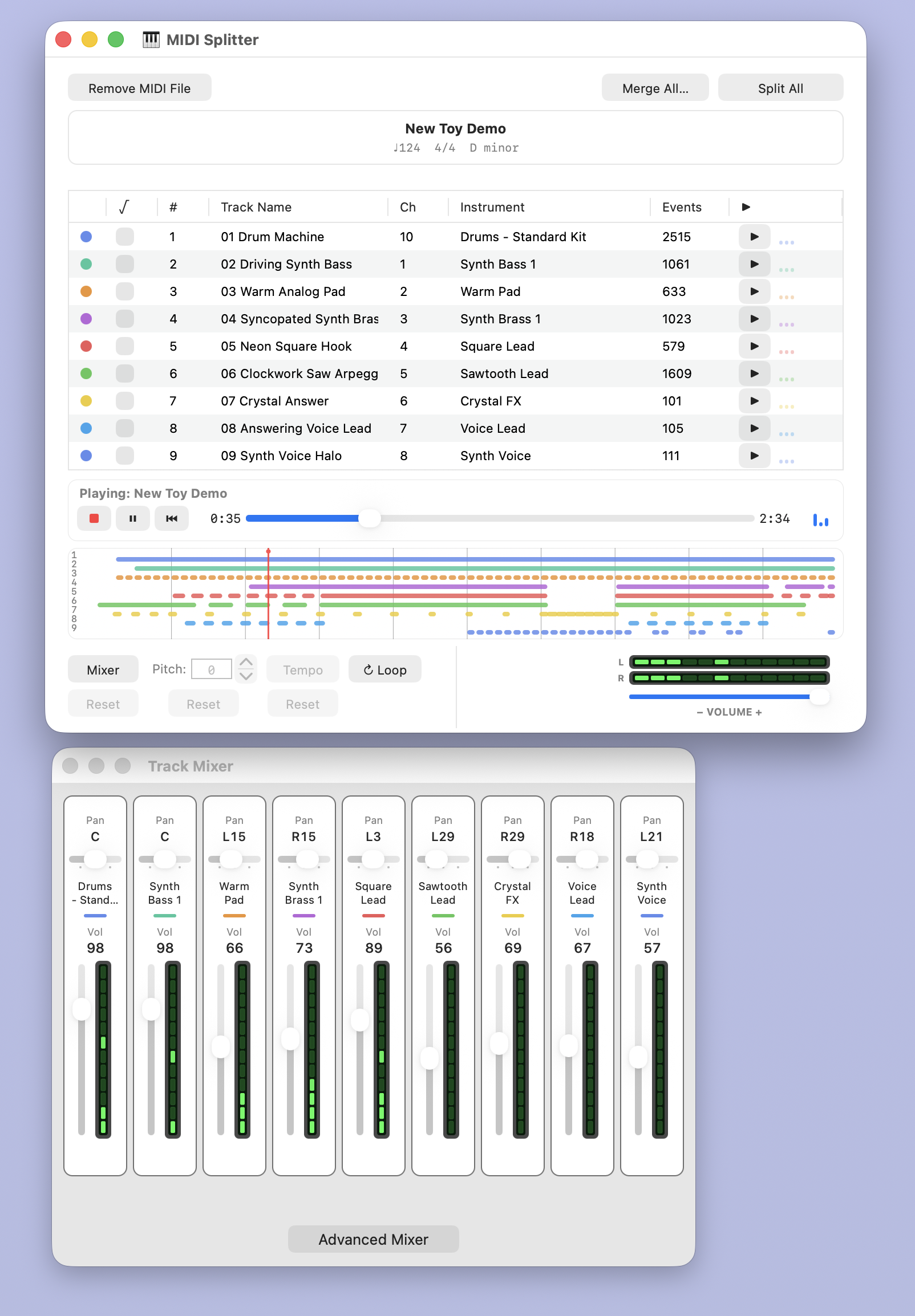
Open New Toy Demo and inspect its nine tracks, instruments, and Song Overview before pressing Play.
Evaluation Copy
Start with a normal MIDI file. MIDISplitter shows the musical tracks clearly, so a user can audition parts, check instruments, adjust the mix, and prepare a cleaner project.
Current release · September 2026
These new guides cover the Mac App Store release, from opening a file to loop exports and Beat Detection. Open the walkthrough on YouTube, choose a chapter below, or visit the current support page for all 13 embedded videos.
 Chapter 1 · Opening and App Walkthrough
Watch on YouTube
Get oriented, open a MIDI file, and find the main controls.
Chapter 1 · Opening and App Walkthrough
Watch on YouTube
Get oriented, open a MIDI file, and find the main controls.
Original Awards Video · July 2026
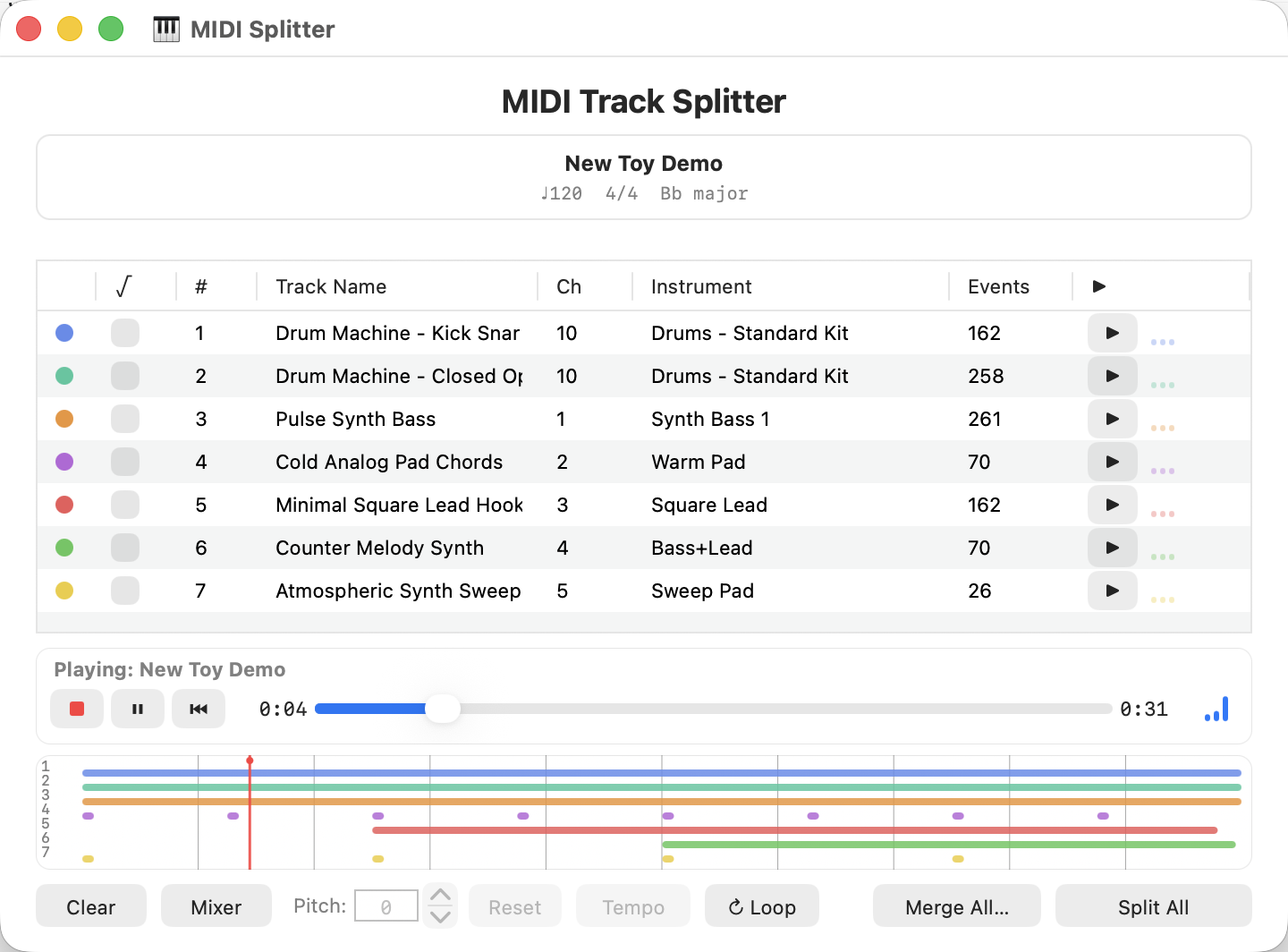
This is the original submission video. It demonstrates the core workflow with an earlier evaluation build and demo. For the released app, use the new 1.5 video guides. To review the app, request an evaluation copy and consult the reviewer materials below.
 Original awards submission
Watch on YouTube
See the original July 2026 demonstration.
Original awards submission
Watch on YouTube
See the original July 2026 demonstration.
MIDI 2.0-Aware
MIDISplitter 1.5 focuses on the MIDI 2.0 features that matter to its core job: opening files, preserving useful musical information where safe, exporting clean results, and reporting what happened.
Open supported MIDI Clip/SMF2 files and create .midi2 exports. A device's MIDI 2.0 support does not by itself mean its software accepts this file container.
Eligible packets and supported operations can retain native MIDI 2.0 data. Other edits or loops can require MIDI 1.0-resolution fallback. Read each export's report for the actual result.
The included field report separates automated fixtures from untested hardware and DAW compatibility. The app does not provide live UMP I/O, MIDI-CI, Profiles, or per-note expression editing.
Playback & Track Mixer
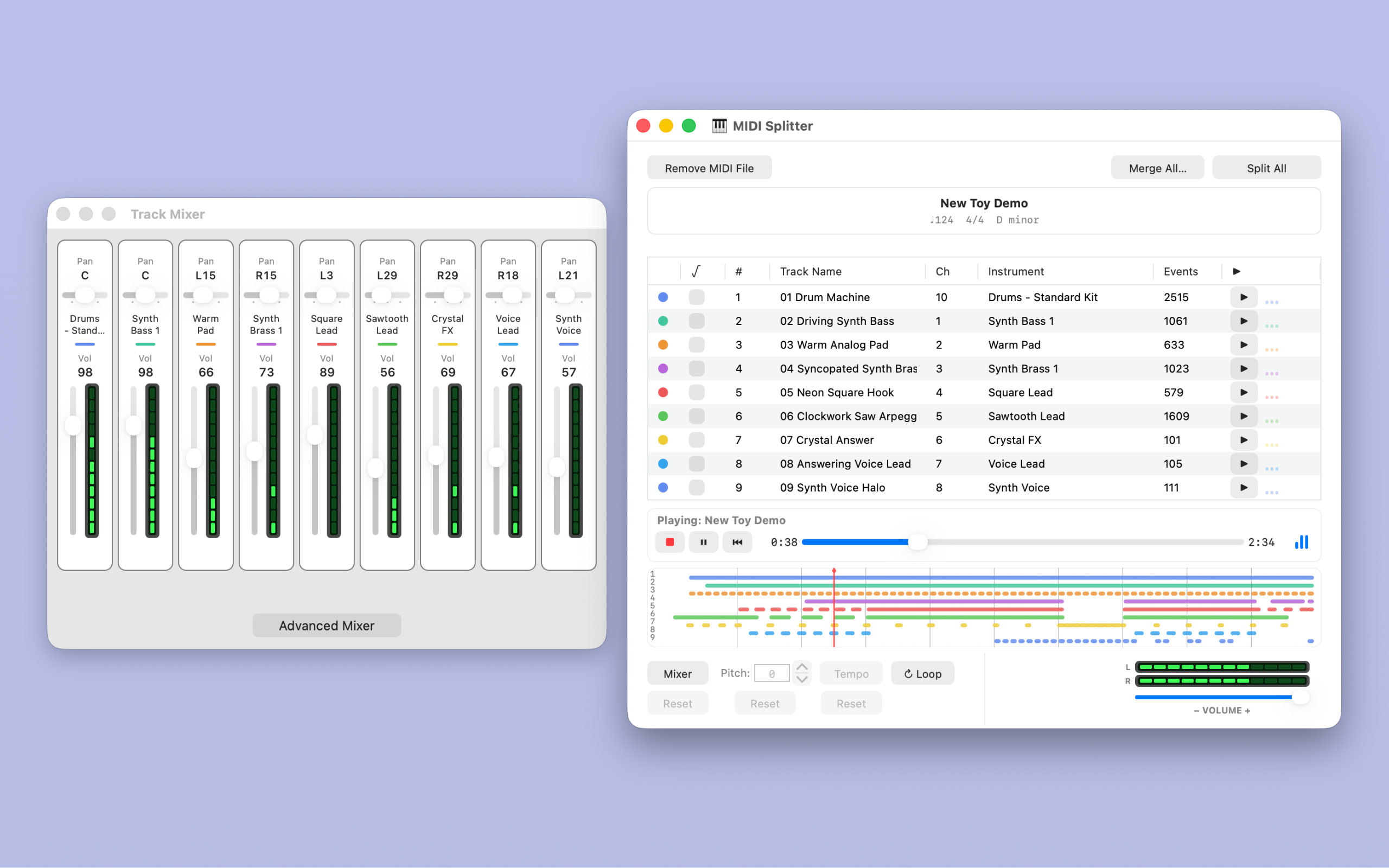
Audition the whole song, an individual track, or a checked group. Follow the song position in the overview and the MIDI activity in the meters.
The Track Mixer brings each part's volume and pan into view. Pause or stop playback to adjust the mix; open Advanced Mixer for velocity and reverb controls.
The main volume slider changes listening volume. Track Mixer settings are used in MIDI exports, so the prepared parts retain your mix choices.
Explore the mixer in the manualMIDI File Export
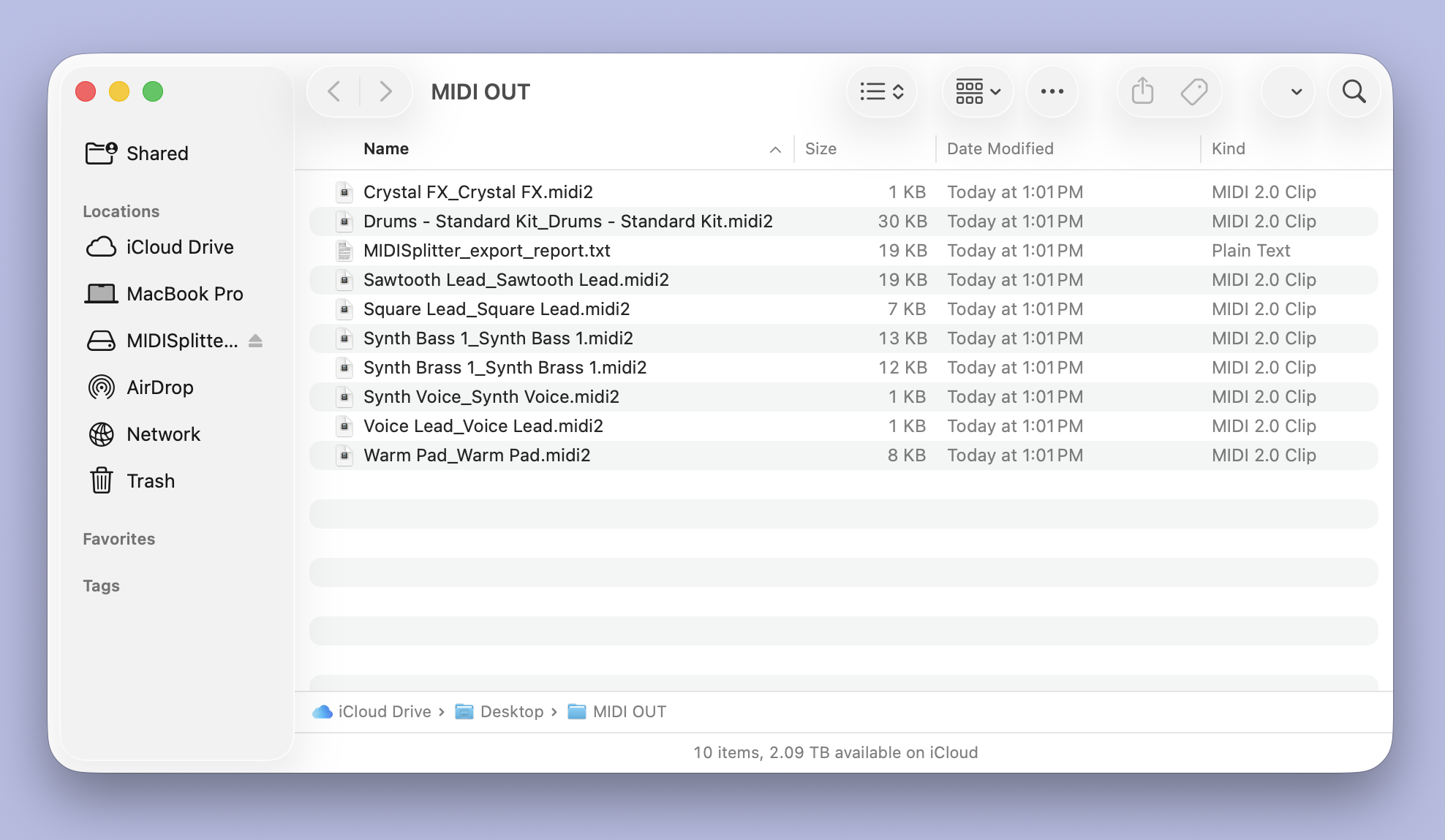
Split the arrangement into individual MIDI files and save a text report alongside them. This export contains nine MIDI 2.0 Clip files and the MIDISplitter export report.
Reviewer Access
For a YouTube video, online review, or print publication, email Sean Flemming to request a review copy. Please include your name, channel or publication, a link to your work, and the review you have in mind.
The public materials below describe the September 24, 2026 evaluation package: MIDISplitter 1.5.2, build 5. Requires macOS 15 or later. Includes Apple silicon and Intel executables. Automated checks ran on Apple silicon with macOS 26.4; human listening and GUI checks were not repeated for build 5, and Intel and macOS 15 runtime remain Not Tested. See Package QA for coverage.
Reviewer Materials
All five documents were refreshed for version 1.5.2, build 5 on September 24, 2026. Read the PDFs here. Contact Sean above to request the evaluation app and discuss your planned review.
Short setup and first-test instructions for opening the app and using the included demo files.
Read Reviewer Quick Start (PDF)The app's 15 Help topics, including warning recovery, drum mapping and restoration, transport, mixer, loops, settings, and evaluation diagnostics.
Read User Manual (PDF)Current MIDI 2.0 file support, preservation decisions, test evidence, and compatibility limits.
Read MIDI 2 Field Report (PDF)Contents of the exact supplied demo pair, their current timing measurements, and the 44 automated export/reparse checks.
Read Demo File Notes (PDF)What was checked, what remains untested, and a practical checklist for evaluation on your Mac.
Read Package QA (PDF)The evaluation license from the previous awards package is retained. Consult it before using or sharing the package.
Read evaluation license (text)Open View > Debugging Window (Control-B) to inspect app activity. Optional persistent logging keeps a local log; a previous choice may already be remembered. Reports can contain file paths and Mac information. Review the contents before sharing. The app does not email reports automatically.
For build 5 evaluation instructions and diagnostics, use the reviewer manual above. The new 1.5 video guides and online user manual cover the Mac App Store edition. The awards evaluation package is separate from the retail edition and is available by request.